Booking, estimates, and invoices your clients open with one tap.
No app for them to download. No account, no password — just a link. Client Care Nest gives solo professionals and small businesses a booking page, a client portal, estimates and invoices, and the client records, calendar and reminders to run the work behind them.
Already have an account? Log in →See how Client Care Nest works
Watch the quick demo to see client profiles, scheduling, and booking in action.
Stop running your business from scattered notes, calendars, files, and spreadsheets.
Client Care Nest brings the core parts of client service into one organized place, so you can spend less time searching and more time serving your clients.
- Keep client profiles, notes, documents, and appointments together.
- Let clients request appointments based on your availability.
- Use intake forms and portal pages to look more professional online.
Everything your client workflow needs, without enterprise complexity.
Client profiles
Store contact details, notes, attachments, custom fields, and client history in one place.
Appointments & scheduling
Manage appointments, events, reminders, and availability from a clean scheduling workflow.
Intake forms
Collect client details with custom forms before the first appointment or service request.
Public booking portal
Create a simple online page with booking, documents, videos, links, gallery, and products.
Projects and tasks
Track work, due dates, priorities, milestones, and linked clients without adding another app.
Business controls
Use secure sign-in, optional PIN lock, account controls, and legal pages for a cleaner launch.
Watch how each part of Client Care Nest works.
Short walkthroughs of the core workflows — from adding your first client to publishing your public portal.
 ▶
Video coming soon
▶
Video coming soon
A dedicated page for every client
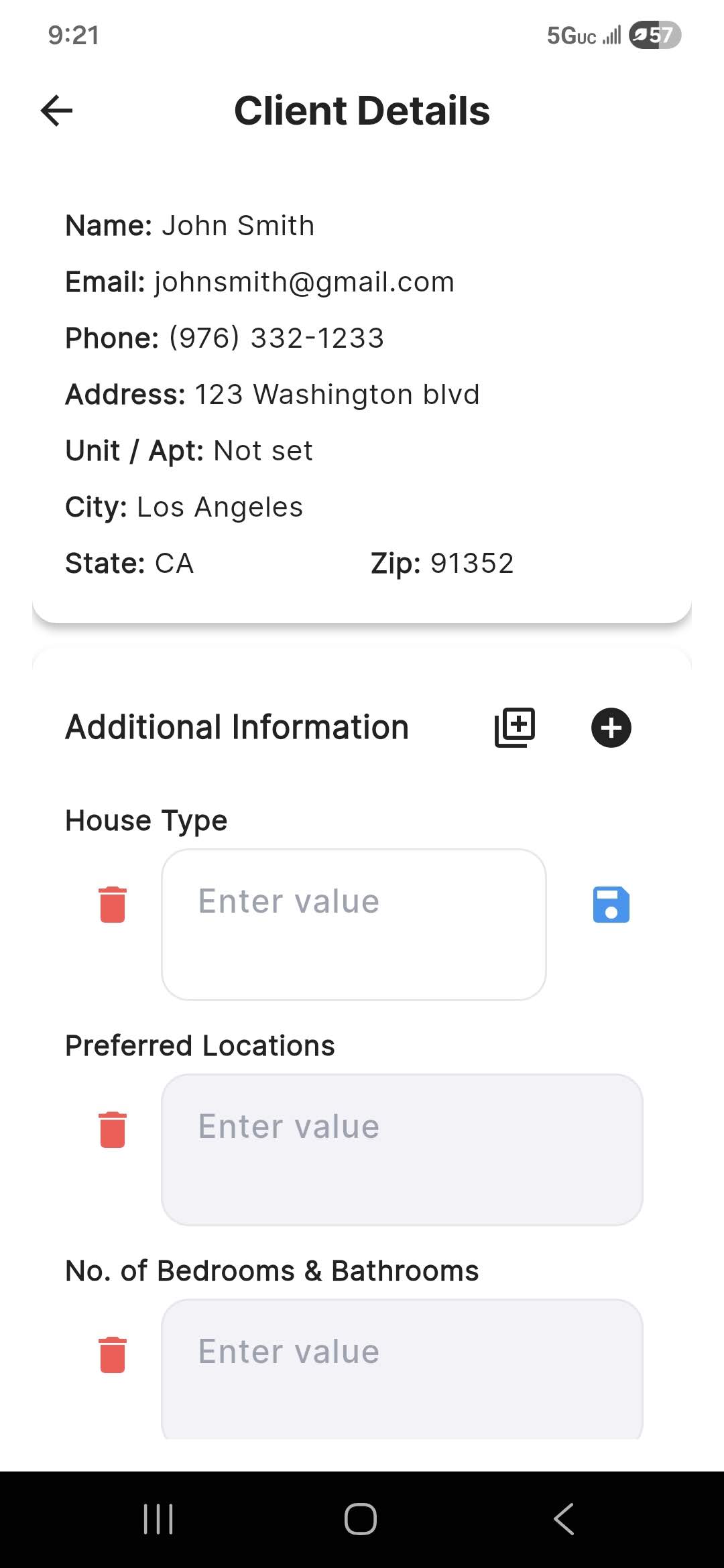
See how each client gets their own profile with contact details, notes, documents, custom fields, and full appointment history.
- Open any client to see their complete history in one place.
- Add notes, files, and custom fields specific to your business.
- Review intake responses before an appointment.
 ▶
Video coming soon
▶
Video coming soon
Add clients with intake forms or manually
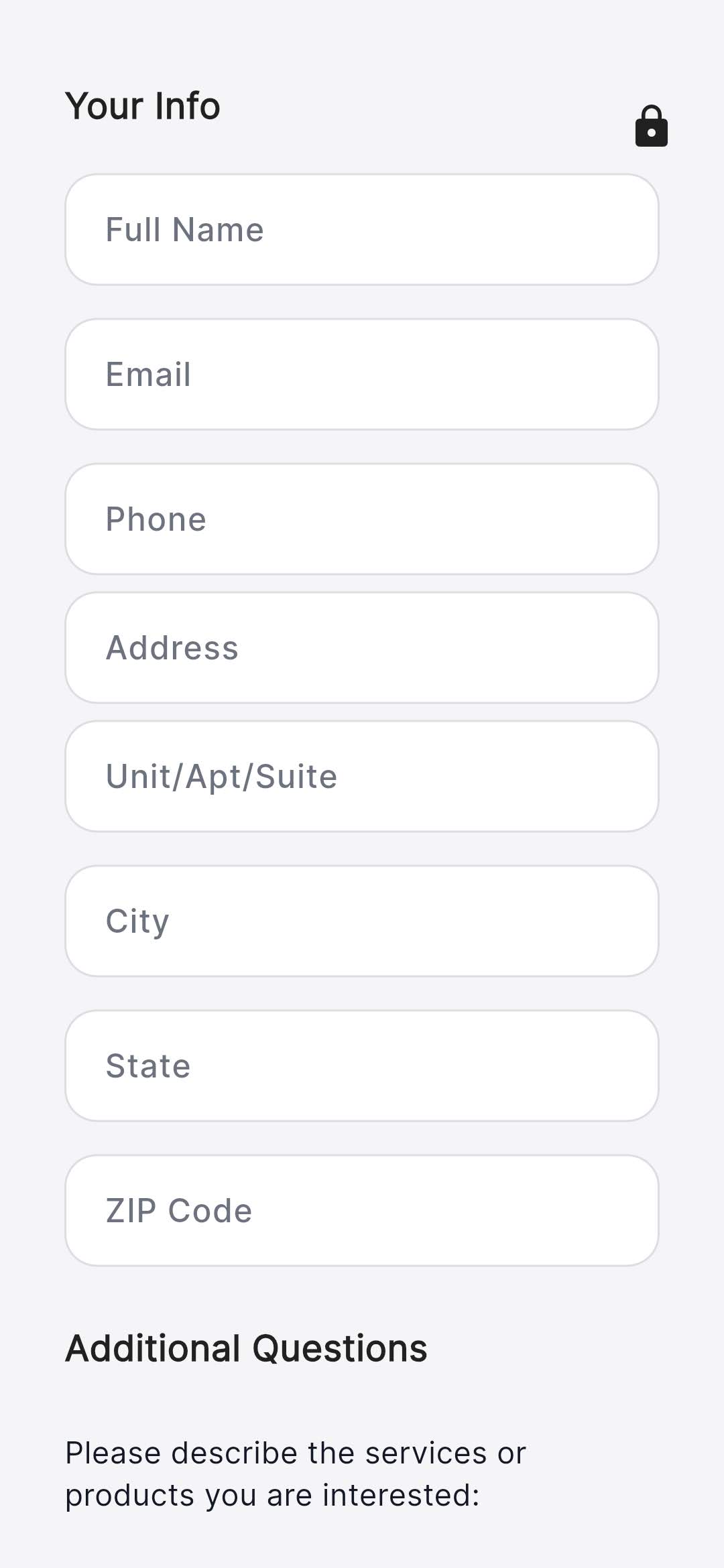
Learn how to collect new client information with custom intake forms — including in-person kiosk mode — or add clients yourself in seconds.
- Build intake forms with your own questions and required fields.
- Review pending submissions and accept them into your client list.
- Use kiosk mode for walk-in intake at your office or events.
 ▶
Video coming soon
▶
Video coming soon
Set up your public portal
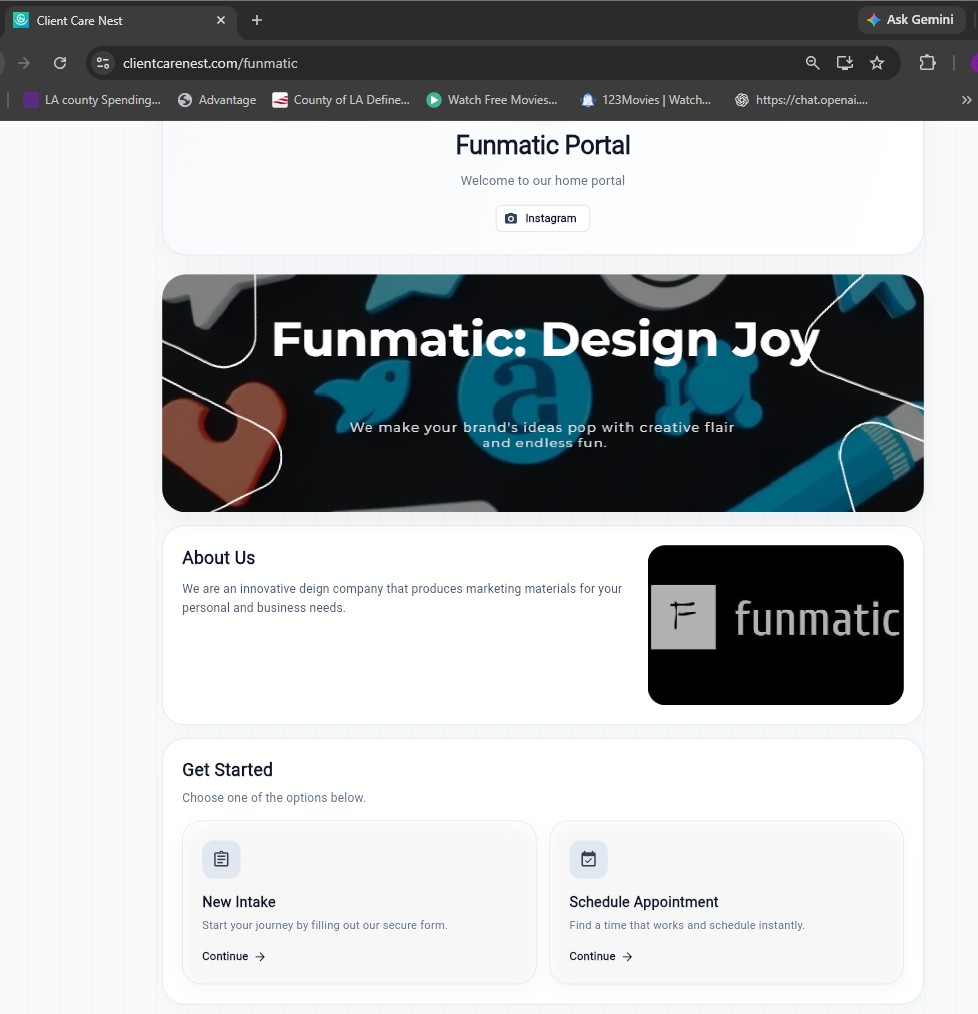
Create a branded mini-site where clients can learn about your services, view your gallery and products, and request appointments.
- Add your logo, banner, headline, and business details.
- Show products, documents, videos, links, and photo galleries.
- Share one link that connects visitors to booking and intake.
 ▶
Video coming soon
▶
Video coming soon
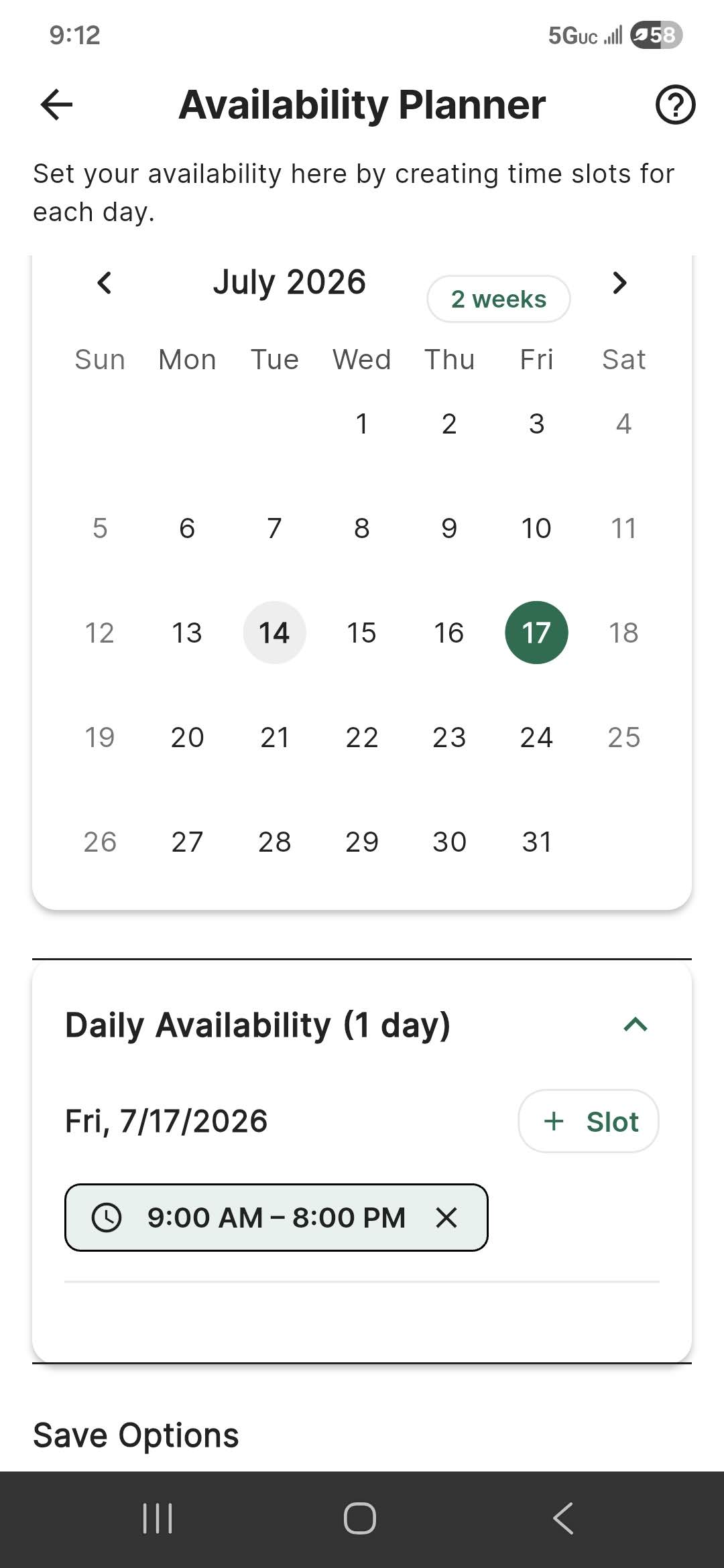
Schedule appointments around your availability
Define your working hours once, then let clients request times that actually fit your calendar — with confirmations and reminders sent automatically.
- Set weekly working hours and day-specific availability.
- Share a booking link limited to your open time slots.
- Approve requests and let confirmations and reminders go out for you.
 ▶
Video coming soon
▶
Video coming soon
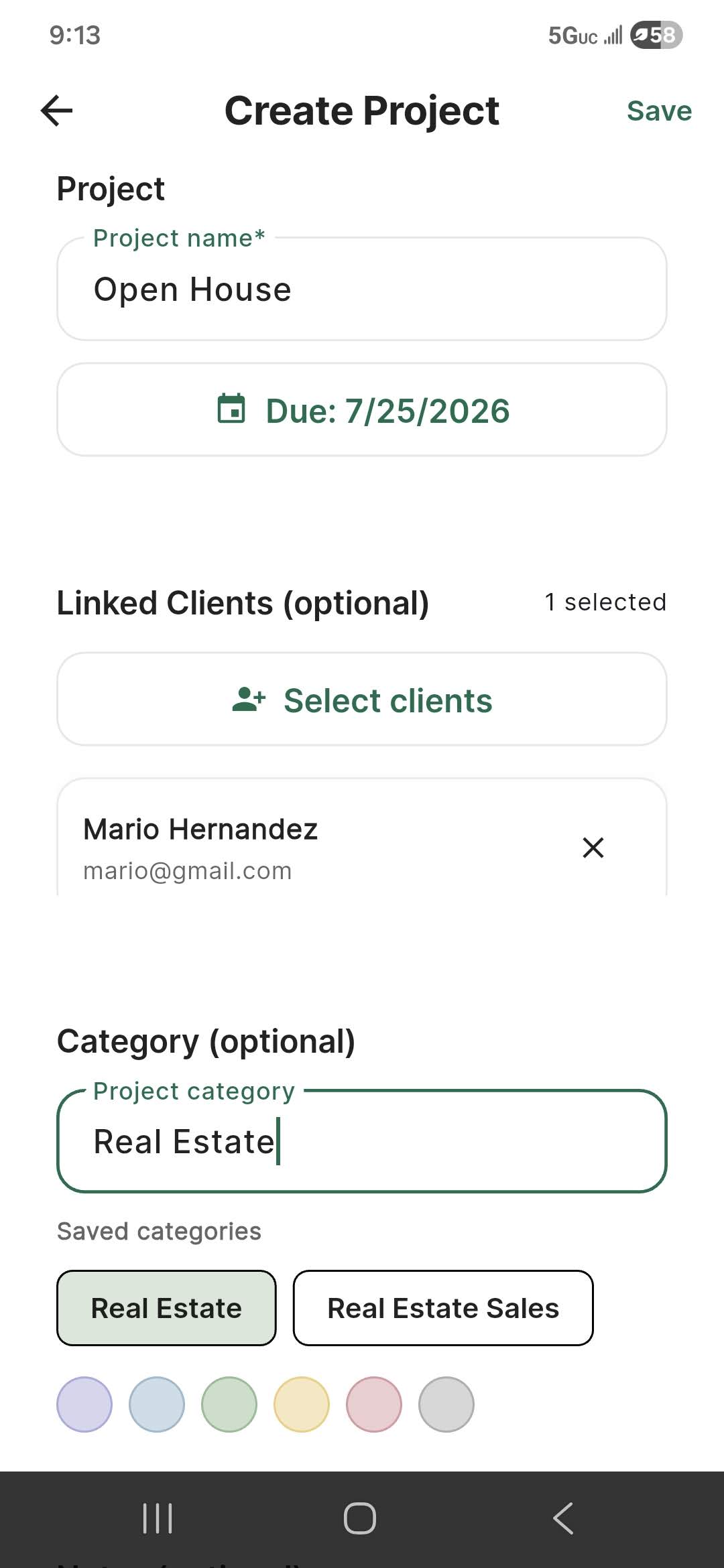
Create projects and track your work
Manage work that goes beyond a single appointment with projects, tasks, milestones, priorities, and due dates linked to clients.
- Create a project with a due date, category, and linked clients.
- Break work into tasks and milestones with priorities.
- Track follow-ups and deliverables so nothing slips through.
Give clients a simple place to learn about your services and request appointments.
Your public portal can include your business information, booking link, intake form, gallery, products, videos, documents, and helpful links.
- Share one public page with clients and prospects.
- Show services, photos, videos, documents, and resources.
- Connect booking and intake forms to your client workflow.
Small businesses that need a professional client workflow.
Start free. Go Pro when you outgrow it.
Every feature is in both plans — nothing is hidden behind a trial. Pro raises the limits and puts your own branding on everything your clients see.
Terms of Service · Privacy Policy
Ready to organize your client workflow?
Create a free account and start managing clients, appointments, and bookings today. No credit card required.